No description
- JavaScript 75%
- HTML 12.6%
- SCSS 12.4%
| dist | ||
| public | ||
| src | ||
| .editorconfig | ||
| .gitignore | ||
| .jshintrc | ||
| index.js | ||
| LICENSE | ||
| package-lock.json | ||
| package.json | ||
| README.md | ||
| screenshot.png | ||
| webpack.config.js | ||


Clappr Level Selector Plugin
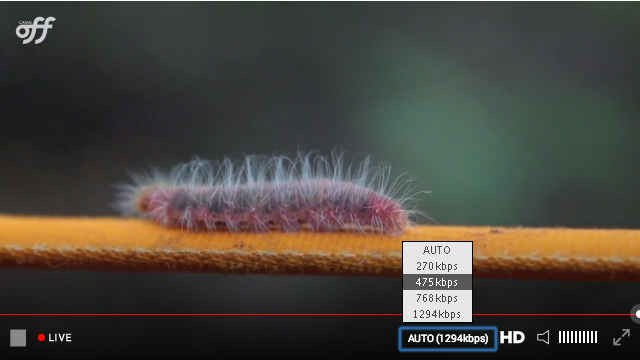
Usage
Add both Clappr and Level Selector plugin scripts to your HTML:
<head>
  <script type="text/javascript" src="http://cdn.clappr.io/latest/clappr.min.js"></script>
  <script type="text/javascript" src="dist/level-selector.js"></script>
</head>
Then just add LevelSelector into the list of plugins of your player instance:
var player = new Clappr.Player({
  source: "http://your.video/here.m3u8",
  plugins: {
    'core': [LevelSelector]
  }
});
You can also customize the labels and title:
var player = new Clappr.Player({
  source: "http://your.video/here.m3u8",
  plugins: {
    'core': [LevelSelector]
  },
  levelSelectorConfig: {
    title: 'Quality',
    labels: {
        2: 'High', // 500kbps
        1: 'Med', // 240kbps
        0: 'Low', // 120kbps
    },
    labelCallback: function(playbackLevel, customLabel) {
        return customLabel + playbackLevel.level.height+'p'; // High 720p
    }
  },
});
Note: There is a minified version served through CDNs too:
<script type="text/javascript"
        src="//cdn.jsdelivr.net/gh/clappr/clappr-level-selector-plugin@latest/dist/level-selector.min.js"></script>
Compatibility
All the playbacks that follow these rules:
- must trigger
PLAYBACK_LEVELS_AVAILABLEwith an ordered array of levels[{id: 3, label: '500Kbps'}, {id: 4, label: '600Kpbs'}] - to have a property
levels, initialized with[]and then after filled with the proper levels - to have a property
currentLevel(set/get), the level switch will happen when id (currentLevel) is changed (playback.currentLevel = id) - optionally, trigger events:
PLAYBACK_LEVEL_SWITCH_STARTandPLAYBACK_LEVEL_SWITCH_END id=-1will be always theAutolevel